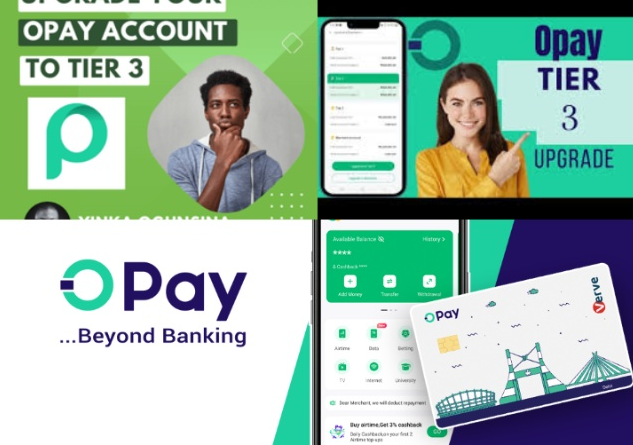
OPay is one of Nigeria’s most popular fintech platforms, allowing users to send money, pay bills, save, and receive payments instantly. However, many users remain on Tier 1, which comes with limited features and low transaction limits.
If you want to enjoy higher limits and full access to OPay services, you must upgrade your account to Tier 2 or Tier 3.
What Are OPay Account Tiers?
OPay account tiers are verification levels created to comply with Central Bank of Nigeria (CBN) regulations. Each tier determines how much money you can send or withdraw daily and what services you can access.
The three OPay tiers are:
- Tier 1 (Basic Account)
- Tier 2 (Verified Account)
- Tier 3 (Fully Verified Account)
Each tier offers increasing benefits as you complete more identity verification.
Understanding OPay Tier 1 (Basic Account)
What is OPay Tier 1?
Tier 1 is the default account level given when you register on OPay with only your phone number and basic personal information.
Features of Tier 1 Account
- Limited daily transaction amount
- Can send and receive small funds
- No debit card access
- Restricted withdrawals
- Minimal verification
OPay Tier 1 Limit
Tier 1 accounts have the lowest transaction limit and are best for light users. If you use OPay frequently, upgrading is necessary.
Understanding OPay Tier 2 (Verified Account)
What is OPay Tier 2?
Tier 2 requires BVN verification and confirmation of your personal details.
Features of Tier 2 Account
- Higher transaction limits than Tier 1
- Can withdraw more money
- Eligible for OPay debit card
- Access to more services
- Improved security
OPay Tier 2 Limit
Tier 2 allows medium transaction volumes and is suitable for most regular users.
How To Upgrade OPay Tier 1 to Tier 2 (Step-by-Step)
- Open the OPay app
- Tap Profile (Me)
- Select Verification / Upgrade Account
- Enter your BVN
- Confirm your personal information
- Submit for review
Verification usually takes a few minutes to several hours.
Understanding OPay Tier 3 (Fully Verified Account)
What is OPay Tier 3?
Tier 3 is the highest level of OPay account verification. It requires:
- BVN verification
- Government-issued ID
- Facial recognition (selfie)
Features of Tier 3 Account
- Maximum daily transaction limit
- Full access to all OPay services
- Best security protection
- Suitable for business and high-volume users
OPay Tier 3 Limit
Tier 3 users enjoy the highest transfer and withdrawal limits without frequent restrictions.
Requirements to Upgrade OPay Tier 1 to Tier 3
To upgrade your OPay account, you need:
- Active OPay account
- Valid BVN
- Government-issued ID (any of the following):
- National ID (NIN)
- Driver’s License
- Voter’s Card
- International Passport
- Clear selfie photo
- Stable internet connection
Make sure your details match your BVN information exactly.
How To Upgrade OPay Tier 2 to Tier 3 (Step-by-Step)
- Open the OPay app
- Go to Profile > Verification
- Select Upgrade to Tier 3
- Upload a clear photo of your valid ID
- Take a live selfie for facial verification
- Submit and wait for approval
Your account will be upgraded once verification is successful.
Common Problems When Upgrading OPay Account
BVN Details Do Not Match
Ensure your name and date of birth match your BVN exactly.
Blurry ID Image
Take photos in good lighting and avoid shadows.
Network Errors
Use stable internet connection.
Verification Delay
Processing can take up to 24 hours. Contact OPay support if delayed.
Benefits of Upgrading OPay Tier 1 to Tier 3
- Higher transaction limits
- Improved security
- Access to OPay debit card
- Smooth business payments
- Reduced risk of account suspension
- Faster dispute resolution
Frequently Asked Questions (FAQs)
Can I upgrade from Tier 1 directly to Tier 3?
Yes, you can upgrade directly by completing BVN and ID verification in one process.
Is OPay tier upgrade free?
Yes, upgrading your OPay account is completely free.
How long does Tier 3 verification take?
It usually takes between a few minutes and 24 hours. Which ID card is best for Tier 3 verification?
National ID (NIN), Driver’s License, and International Passport are recommended.
Disclaimer: This article is not sponsored by any third party and is provided for general informational purposes only. It does not consider individual financial circumstances and should not be taken as professional advice. Any action you take based on the information in this article is strictly at your own risk and responsibility.
Leave a Reply