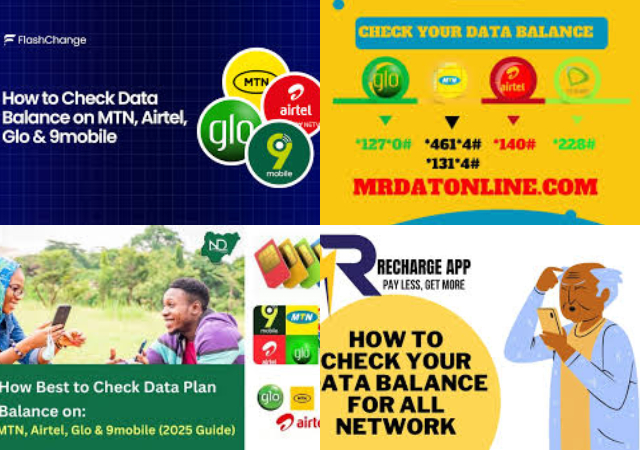
Have you ever tried checking your airtime or data balance and the old code refused to work? You’re not alone Many Nigerians still dial outdated codes like *556# or *124# and wonder why nothing happens.
The reason is simple: in 2023, the Nigerian Communications Commission (NCC) instructed all mobile networks to use unified USSD codes This change makes it easier for subscribers because the same codes now work on MTN, Airtel, Glo, and 9mobile In this guide, you will learn:
The new official USSD codes for airtime and Data Balance
- Other easy ways to check your balance (SMS, apps, and chatbots)
- Network specific methods for MTN and Airtel users
Why the USSD Codes Changed in Nigeria
The NCC introduced harmonized USSD codes to:
Reduce confusion for subscribers
Make telecom services easier to remember
Standardize operations across all networks
Now, instead of memorizing different codes for each network, you can use the same ones nationwide.
Main Ways to Check Airtime and Data Balance in Nigeria
There are four reliable methods you can use:
- Using USSD Codes (Fastest Method)
This is the quickest and most common way It works on all phones, even without internet.
- Using SMS
You can send a short message to a service number to receive your data balance.
- Using Mobile Apps
Each network provides an official app where you can log in and view your balance.
- Using Chatbots and Websites
Some networks offer chatbots on WhatsApp and their websites that show your balance after verification.
Latest Unified USSD Codes for All Networks in Nigeria
These codes now work across MTN, Airtel, Glo, and 9mobile.
Airtime and Data Services Codes
- Check airtime balance: *310#
- Check data balance: *323#
- Recharge airtime: 311Voucher PIN#
- Borrow airtime or data: *303#
- Buy data bundle: *312#
- Share airtime or data: *321#
- Value-added services: *305#
- Link NIN to your line: *996#
- Check your phone number: 1231*1#
These codes work instantly and display your balance on the screen.
How to Check Data Balance via SMS
If USSD is not working on your phone, try SMS:
Steps:
- Open your message app
- Type 2
- Send it to 312
- You will receive a reply showing your remaining data balance
- This method is useful when network signals are weak.
- How to Check Airtime and Data Balance on MTN Nigeria
- MTN users can check their balance using USSD, apps, and chatbots.
Using USSD Codes on MTN
Dial:
- *310# for airtime balance
- *323# for data balance
Your balance will appear instantly on the screen.
Using the MyMTN App and Zigi Chatbot
- MTN provides multiple digital options:
- MyMTN mobile app
- Zigi chatbot on the MTN website
- WhatsApp support
How it works:
- Open the app or chatbot
- Enter your phone number
- Confirm with the OTP sent to your line
- Your airtime and data balance will be displayed
This method is helpful if you also want to manage subscriptions and bonuses.
How to Check Airtime and Data Balance on Airtel Nigeria
Airtel subscribers can also use USSD codes and the My Airtel app.
Using USSD Codes on Airtel
Dial:
- *310# to check airtime
- *323# to check data
- These codes replaced the old *124# short code.
Using the My Airtel App
Steps:
- Download the My Airtel App from your app store
- Register your Airtel number
- Enter the OTP sent to your phone
- Log in and view your airtime and data balance on the home screen
This method also allows you to buy data, recharge airtime, and track usage.
Benefits of the New Harmonized USSD Codes
- Same codes work on all networks
- Easy to remember
- Faster access to services
- Reduces dialing wrong codes
- Works on both smartphones and feature phones
Checking your airtime and data balance in Nigeria is now much easier thanks to the NCC’s unified USSD system Whether you use MTN, Airtel, Glo, or 9mobile, the codes *310# and *323# will always help you confirm your balance in seconds.
If USSD fails, you can still use SMS, mobile apps, or chatbots to stay updated on your
Old codes like *556# and *124# no longer work
New universal codes are *310# (airtime) and *323# (data)
You can also check balance using SMS, apps, and chatbots
Works across all Nigerian networks
Frequently Asked Questions (FAQs)
What is the new code to check airtime balance in Nigeria?
ANS: The new unified code to check airtime balance on any network in Nigeria is *310# This works on MTN, Airtel, Glo, and 9mobile.
What is the new code to check data balance in Nigeria?
ANS: To check your data balance, simply dial *323# on your phone Your remaining data will be displayed instantly.
Why are the old codes like *556# and *124# not working?
ANS: The old codes stopped working because the Nigerian Communications Commission (NCC) introduced harmonized USSD codes in 2023 All telecom operators must now use the same short codes nationwide.
Can I use these codes on all networks in Nigeria?
ANS: Yes. The codes work on:
- MTN
- Airtel
- Glo
How can I check my data balance without using USSD?
ANS: You can check your balance using:
SMS (send 2 to 312)
- Mobile apps (MyMTN App, My Airtel App)
- Chatbots on WhatsApp or network websites
- These options are useful when USSD is slow or unavailable.
Do I need internet to check my balance using USSD?
ANS: No USSD codes work without internet connection They only require network signal.
Are the new USSD codes free to use?
ANS: Yes, checking your airtime and data balance using *310# and *323# is free on all Nigerian networks.
Can I use the same code to buy data and recharge airtime?
ANS: Yes Other unified service codes include:
- Buy data: *312#
- Recharge airtime: 311PIN#
- Borrow airtime/data: *303#
- Share airtime/data: *321#
What should I do if the code is not working?
Try the following:
- Ensure you have network signal
- Restart your phone
- Use SMS or mobile apps instead
- Contact your network’s customer care
Leave a Reply